

1. Overview
Weekly reporting is a critical responsibility for project managers, especially in agency environments. However, preparing these updates manually requires collecting data from multiple sources, summarizing progress, and formatting it into client-friendly communication.
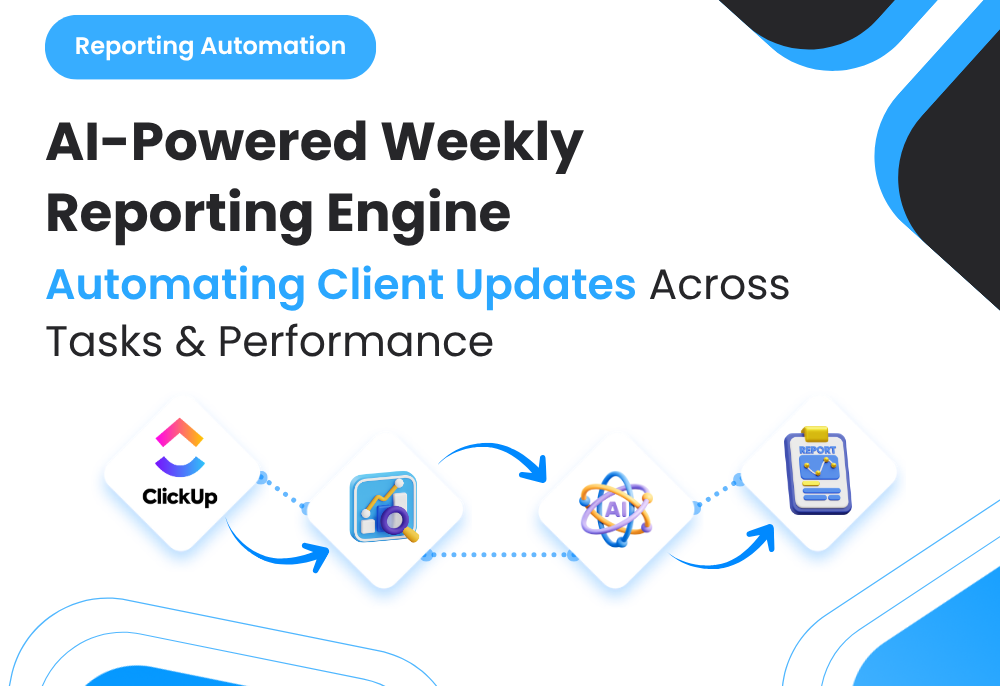
To eliminate this repetitive workload, I built an Automated Weekly Email Recap System that pulls:
◉ ClickUp task updates
◉ Performance metrics (ads, analytics, etc.)
◉ Project activity summaries
…and compiles them into a structured client-ready email.
This system removed hours of manual reporting work while ensuring consistent, standardized communication across all accounts.
2. Background & Context
The system was designed for agency workflows involving:
◉ Multiple client accounts
◉ Ongoing campaign management
◉ Weekly performance reporting
◉ Task-based execution (ClickUp-managed projects)
Before automation, PMs were responsible for:
◉ Reviewing completed and ongoing tasks
◉ Extracting key performance data
◉ Writing manual summaries
◉ Formatting client updates
◉ Sending reports individually
This process was repetitive, time-consuming, and prone to inconsistency.
3. Problem Statement
The reporting workflow had several inefficiencies:
◉ 1. Weekly reports consumed significant PM time
◉ 2. Data had to be manually pulled from multiple systems
◉ 3. Report structure varied across PMs
◉ 4. Important updates were sometimes missed
◉ 5. Scaling reporting across multiple accounts was difficult
The system needed to automate reporting while maintaining clarity and structure.
4. Tools & Automation Stack
◉ ClickUp API (task data source)
◉ Performance data sources (Google Ads, Meta Ads, GA4, etc.)
◉ OpenAI API (summary generation layer)
◉ Make.com / Zapier (workflow orchestration)
◉ Google Sheets / Database (intermediate data structuring)
◉ Email system (Gmail / CRM / Klaviyo)
This allowed structured data collection and automated report generation.
5. Automation Flow
The weekly reporting system followed this process:
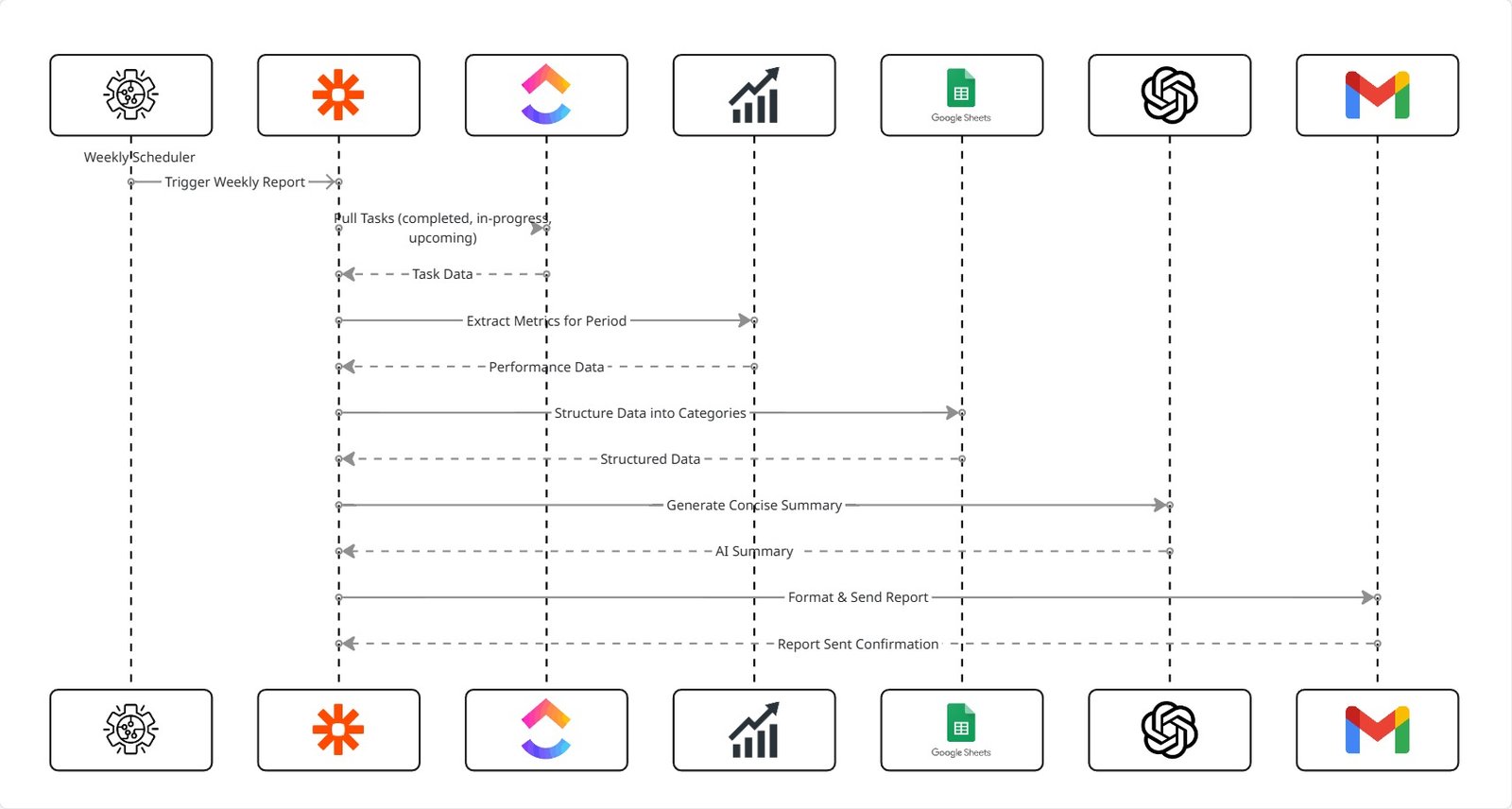
◉ 1. Weekly scheduler triggers automation
◉ 2. ClickUp tasks are pulled (completed, in-progress, upcoming)
◉ 3. Performance metrics are extracted for the same period
◉ 4. Data is structured into categories
◉ 5. AI generates a concise summary
◉ 6. Email report is formatted automatically
◉ 7. Report is sent or queued for review
No manual report building required.
6. Implementation Details
6.1 ClickUp Data Extraction
The system pulled:
◉ Completed tasks (last 7 days)
◉ Ongoing tasks (in progress)
◉ Upcoming tasks (next phase)
◉ Task comments or updates (if required)
This created a full project activity snapshot.
6.2 Performance Data Integration
Metrics included:
◉ Spend
◉ Clicks
◉ Conversions
◉ CPA / ROAS
◉ Week-over-week changes
The system aligned performance data with task execution.
6.3 Data Structuring Logic
All inputs were grouped into:
◉ Work Completed
◉ Work in Progress
◉ Performance Overview
◉ Next Steps
This ensured consistent reporting format across all accounts.
6.4 AI Prompt (Summary Generation)
					You are a project manager preparing a weekly client update.

Given:
- Completed tasks
- Ongoing tasks
- Performance metrics (with changes)
- Upcoming work

Generate:
1) A short performance summary
2) A clear breakdown of completed work
3) Current progress updates
4) Next steps

Tone: professional, clear, concise.
Avoid generic statements.
Focus on clarity and structure.
6.5 Email Report Format
Each report followed a fixed structure:
◉ Weekly performance summary
◉ Completed work (bullet format)
◉ Ongoing work updates
◉ Key performance highlights
◉ Next steps
PMs could review and send instantly.
7. Score Mapping / Classification Logic
Project status was categorized as:
| Status | Meaning | Action |
|---|---|---|
| On Track | Tasks completed as planned | Continue execution |
| Needs Attention | Delays or performance concerns | Review required |
| Critical | Major issue or blockage | Immediate action |
This allowed quick interpretation by both PMs and clients.
8. ClickUp Automations
The system integrated back into ClickUp:
◉ Tasks tagged based on reporting status
◉ Delayed tasks flagged automatically
◉ Critical issues converted into tasks
◉ Weekly reporting tasks auto-created (optional)
This ensured reporting aligned with execution.
9. Code-to-Business Breakdown
| System Component | Business Impact |
|---|---|
| ClickUp task extraction | Eliminates manual project review |
| Performance data integration | Aligns execution with results |
| AI summary generation | Removes manual writing effort |
| Structured email format | Standardizes client communication |
| Automated delivery | Saves PM time every week |
| Status classification | Improves clarity and prioritization |
10. Real-World Brand Scenario: Deployment for Gold Lion Technologies
About Gold Lion Technologies (Operating Environment)
Gold Lion Technologies operates as a technology services provider offering solutions that typically involve consultation, project-based engagement, and longer sales cycles. Lead generation occurs through digital channels, inbound inquiries, and marketing campaigns, with conversion dependent on consistent follow-up and relationship-building.
Given the nature of service-based sales, leads often require multiple touchpoints before converting, making structured nurturing and re-engagement critical to maximizing pipeline value.
How Lead Follow-Up Worked Before the System
Before the automated revival system was introduced:
◉ Leads were captured and stored inside the CRM
◉ Follow-up depended on manual outreach by sales teams
◉ Inactive leads were rarely revisited after initial contact
◉ Engagement dropped significantly over time
◉ No defined process existed to recover cold leads
As a result, a significant portion of leads remained unused after initial interaction.
Why the Need Became Critical
As Gold Lion Technologies increased lead acquisition:
◉ The volume of inactive leads grew steadily
◉ Manual follow-ups became inconsistent under workload pressure
◉ Potential opportunities were lost due to lack of re-engagement
◉ Sales teams focused primarily on new leads instead of existing ones
◉ CRM efficiency declined as inactive leads accumulated
At this stage, the absence of a structured revival system directly impacted pipeline performance.
How the System Was Implemented in Practice
The automated lead revival system was introduced as a reactivation layer within the CRM lifecycle.
Key implementation principles included:
◉ Defining inactivity thresholds to classify cold leads
◉ Automatically tagging leads based on engagement behavior
◉ Triggering structured Email + SMS revival sequences
◉ Coordinating messaging across channels to avoid duplication
◉ Routing re-engaged leads back into the active sales pipeline
◉ Suppressing non-responsive leads after sequence completion
The system ensured continuous monitoring and reactivation of inactive leads without manual intervention.
How the System Was Implemented in Practice
The automated lead revival system was introduced as a reactivation layer within the CRM lifecycle.
Key implementation principles included:
◉ Defining inactivity thresholds to classify cold leads
◉ Automatically tagging leads based on engagement behavior
◉ Triggering structured Email + SMS revival sequences
◉ Coordinating messaging across channels to avoid duplication
◉ Routing re-engaged leads back into the active sales pipeline
◉ Suppressing non-responsive leads after sequence completion
The system ensured continuous monitoring and reactivation of inactive leads without manual intervention.
How Execution Changed After Adoption
Once deployed for Gold Lion Technologies:
◉ Cold leads were automatically identified and re-engaged
◉ Follow-ups became consistent and system-driven
◉ Previously inactive leads returned to the active pipeline
◉ Sales teams focused more on qualified opportunities
◉ CRM shifted from passive storage to an active pipeline system
Lead management evolved into a continuous lifecycle-driven process.
11. Results & Structural Impact
Reactivation Layer Introduced
◉ Cold leads became part of an active system
◉ No lead remained unaddressed indefinitely
Reduced Lead Loss
◉ Increased utilization of existing lead database
◉ Improved recovery of previously inactive prospects
Improved Pipeline Efficiency
◉ Leads moved through the funnel more consistently
◉ Better visibility into lead lifecycle stages
Scalable Follow-Up System
◉ Automated system handled growing lead volume
◉ Reduced dependency on manual outreach
12. Challenges & Adjustments
During live usage:
Inconsistent inactivity definitions
◉ Standardized thresholds across all lead sources
Risk of over-communication
◉ Implemented channel coordination and suppression rules
Low engagement from long-inactive leads
◉ Introduced tiered messaging with value and urgency layers
CRM clutter from non-responsive leads
◉ Added suppression and archival logic
13. Key Learnings
◉ Inactive leads represent recoverable revenue opportunities
◉ Automated re-engagement improves pipeline efficiency
◉ Multi-channel communication increases response rates
◉ Structured lifecycle systems outperform manual follow-up
◉ CRM systems should actively manage leads, not store them
14. Conclusion
This case study demonstrates how an Automated Lead Revival System using Email + SMS can be implemented for a service-based company like Gold Lion Technologies to improve lead utilization and pipeline performance.
By introducing a structured reactivation layer, the system ensured continuous engagement, reduced lead loss, and transformed the CRM into a scalable, system-driven conversion engine—without increasing operational workload.
Need to Automate Weekly Client Reporting Using ClickUp Data and Performance Metrics?