
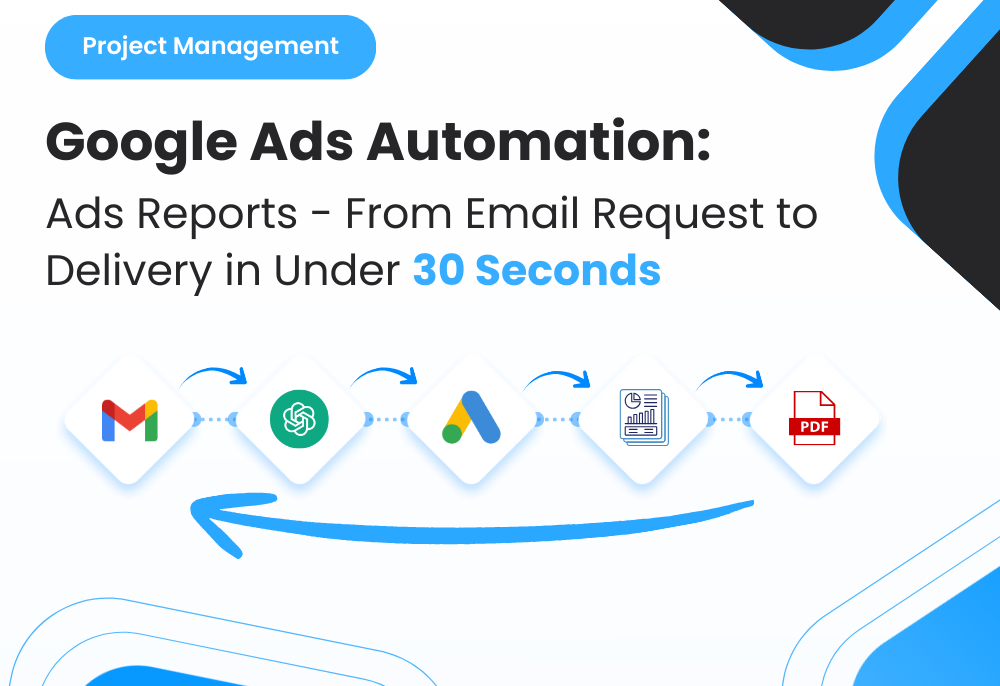

1. Overview
Weekly Google Ads reporting used to be a repetitive, time-draining task for project managers and PPC teams. Every time a client requested a performance update, the process involved digging through their email, interpreting the request, logging into the right Google Ads account, pulling last 7-day metrics, filling a report template, writing a summary, and sending it back manually.
To eliminate this cycle, I built an end-to-end AI automation that reads incoming client emails, understands their reporting request, fetches real Google Ads data through the API, generates a clean report using a standard template, and sends it automatically to both the client and the PM for review.
The result was a fully autonomous reporting pipeline that removed repetitive manual work, delivered reports in under 30 seconds, and ensured consistent, accurate, and timely reporting across all PPC accounts—without any PM involvement.
2. Background & Context
The agency manages ongoing PPC communication and reporting across multiple clients. Each week, PMs were responsible for handling:
◉ Email requests for “last 7-day Google Ads reports”
◉ Follow-up messages asking for updated performance snapshots
◉ Manual checks inside Google Ads dashboards
◉ Maintaining campaign insights and weekly summaries
◉ Sending templated reports back to clients
On average, a single PM processed 12–15 report requests per week, each requiring:
◉ Interpreting the client’s email
◉ Identifying the correct Google Ads customer ID
◉ Gathering data manually
◉ Filling a spreadsheet or reporting template
◉ Writing a performance summary
◉ Emailing the final report to the client
This workflow consumed 4–6 hours per week, created inconsistencies across reports, and depended entirely on PM availability.
3. Problem Statement
Clients repeatedly request “last 7-day performance reports,” and the manual process was leading to:
◉ Time loss on repetitive tasks
◉ Human errors in calculations
◉ Delays in sending reports
◉ High dependency on PM availability
◉ No centralized tracking of automated tasks
What the agency needed was a fully self-running solution that could read and understand natural-language client emails, extract the necessary reporting details (client, date range, metrics), pull accurate Google Ads data via API, auto-generate a clean and consistent report, deliver it instantly to both the client and the PM, and operate continuously without requiring PM involvement.
4. Tools & Automation Stack
| Category | Tools Used |
|---|---|
| Email Processing | Gmail API, IMAP Listener, Webhooks |
| AI Understanding | OpenAI (GPT-4/5) for intent detection + summarization |
| Workflow Engine | Make.com / Zapier / n8n |
| Data Source | Google Ads API + GAQL queries |
| Report Generation | Google Sheets Template → PDF Export |
| Delivery | Gmail API Auto-Send |
| Monitoring | Error notifications to Slack/Email |
5. Automation Flow
Step-by-step pipeline:
1. Client sends email requesting a “last 7-day Google Ads report.”
2. Email is captured via Gmail API/IMAP.
3. AI reads the email, summarizes it, and classifies intent.
4. AI extracts metadata automatically (website, date range, metrics).
5. The system maps the client to their Google Ads customer_id.
6. Google Ads API is triggered to fetch last 7 days of data.
7. Automation copies a report template and populates the data.
8. AI generates a performance summary and recommendations.
9. Report exported to PDF and saved.
10. Email sent automatically to:
◉ The client
◉ The PM (for quality control)
11. Log added to a tracking sheet for audit & monitoring.

Fig. 1: End-to-End AI-Driven Google Ads Reporting Automation Workflow
6. Implementation Details
6.1 AI Prompt (The Core Logic)
					The following prompt powered the reporting-request interpretation engine:
“Analyze the following client email and determine whether it is a Google Ads reporting request.
 Extract the required reporting details including client name, website, date range, and metrics.
 Normalize all dates into ISO format.
 Return the response strictly in JSON.
 Do not rewrite the entire message.”
Client Email: {{email_body}}
 Sender: {{sender_email}}
 Date Received: {{date_received}}
Output (JSON fields):
intent_type
client_name
website
start_date
end_date
metrics_requested
urgency_level
Confidence_score
If no explicit date is mentioned, use the last 7 days. Respond ONLY in JSON.”*
6.2 Summary Classification Logic
The system categorized each incoming email based on its detected intent:
| Category | Meaning | System Behavior |
|---|---|---|
| Google Ads Report Request | Client is asking for a last 7-day performance report | Triggers full Google Ads reporting automation |
| Custom Date Range Request | Client specifies a specific reporting period | Automation uses provided dates instead of default 7 days |
| Non-Reporting Inquiry | Email is unrelated to reporting (general question or communication) | Forwards the email to the PM for manual handling |
| Low-Confidence Intent | AI is not confident the message is a report request | Stops the automation and alerts the PM for review |
| Unsupported Request | Client asks for data the system cannot automate | PM is notified to handle manually |
6.3 Automation Rules
Key rules programmed into workflow engine:
					If intent_type != google_ads_report_request → stop workflow.
If no date mentioned → auto-calc last 7 days from current date.
Identify Google Ads account via mapping table (client → customer_id).
If Google Ads data call fails → notify PM instantly.
Always CC the PM in the outgoing email.
Store logs to tracking sheet for accountability.
6.4 Data Extracted for AI Summaries
Before generating the summary, the workflow collects:
◉ Total Impressions
◉ Clicks
◉ CTR
◉ CPC
◉ Cost
◉ Conversions
◉ Conversion Rate
◉ CPA
◉ ROAS
◉ Best & worst-performing campaigns
◉ WoW percentage changes (optional)
All these are passed into an AI prompt to craft a 3–4 sentence executive summary.
7. Code-to-Business Breakdown
| Logic / Code Component | Business Impact |
|---|---|
| Email → AI Intent Classification | Eliminates manual reading of client emails |
| JSON extraction of dates & metrics | Removes confusion from vague client requests |
| Client → Ads Account Mapping | Prevents sending wrong reports to wrong clients |
| Google Ads API GAQL Query | Pulls accurate data instantly (no dashboard navigation) |
| Google Sheets Template Automation | Maintains consistent branding across reports |
| AI Summary Generation | Makes reports client-friendly & actionable |
| Dual Email Delivery (Client + PM) | Ensures oversight while saving PM time |
| Error Monitoring Module | Avoids silent failures and maintains trust |
8. Results & Performance Impact
| Metric | Before Automation | After Automation |
|---|---|---|
| Time per report | 7–10 minutes | 0 minutes (fully automated) |
| PM Involvement | High | Only for quality checks (optional) |
| Error rate | Moderate | Near zero due to standardized template |
| Response speed | Dependent on PM | Instant (under 30 seconds) |
| Client satisfaction | Normal | High—reports arrive fast & consistently |
Additional impacts:
◉ PM saved 4–6 hours/week
◉ Reporting became 100% predictable and mistake-free
◉ A complete audit trail now exists for every automated task
9. Challenges & How They Were Solved
Challenge 1: Emails written in vague language
Solution: AI classification with fallback rules + strict JSON output.
Challenge 2: Mapping clients to correct Google Ads accounts
Solution: A simple Google Sheet mapping table with client email → customer_id.
Challenge 3: Handling errors from Google Ads API
Solution: Failsafe routing + instant Slack/Email alerts to PM.
Challenge 4: Report formatting inconsistencies
Solution: Locked template with dynamic data insertion + PDF export.
Challenge 5: Ensuring PM oversight
Solution: Automated CC to PM + stored logs for review.
10. Lessons for Project Managers
◉ Delegate your inbox to automation. AI can understand natural-language client emails far better than expected.
◉ Always include fallback logic. Not every email will be perfectly structured.
◉ Templates = consistency. A single reporting template removes 90% of manual formatting issues.
◉ Automation doesn’t remove human control—it removes repetition.
◉ Add transparency. CC yourself on every automated email during the transition period.
11. Conclusion
This automation transformed a recurring PPC operation—from a slow, manual reporting routine into a fully autonomous AI-driven system. It can now read emails, interpret requests, extract Google Ads data, generate a clean report, summarize performance, and deliver it instantly to both the client and the PM. The result is a scalable, error-free workflow that saves hours every week and standardizes the reporting process across all PPC clients. This project demonstrates how combining AI + APIs + workflow automation can remove entire categories of low-value PM tasks, freeing the team to focus on strategy—not screenshots and spreadsheets.
Ready to Make Your Google Ads Reporting 100% Automated, Accurate, and Instant?